Warning: Undefined variable $query_editor in /home/xs715986/grits-osaka.com/public_html/testing-site/wp-content/themes/grits_theme/content-page.php on line 3
Warning: Undefined variable $query_editor in /home/xs715986/grits-osaka.com/public_html/testing-site/wp-content/themes/grits_theme/content-page.php on line 4
簡単に絵文字を追加する方法
macOSマシンでは
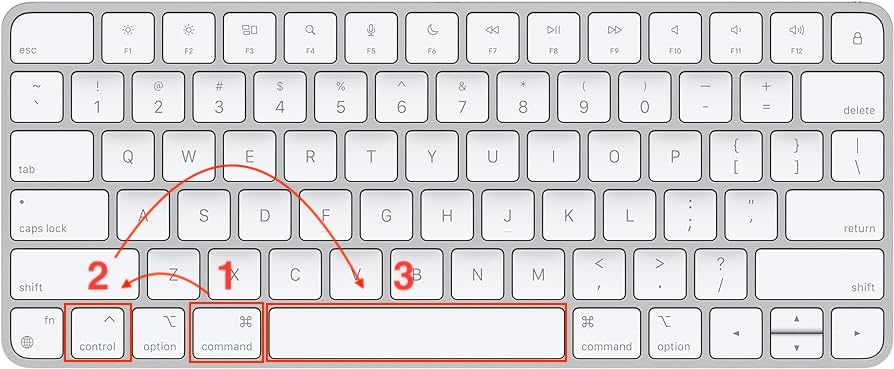
WordPressでのMacでの絵文字の追加方法:
Command + Control + Space キーを同時に押します。
ポップアップが表示され、そこで絵文字を探して選ぶことができます。
使いたい絵文字を見つけたら、それをクリックしてテキストに挿入します。
Windowsマシンでは
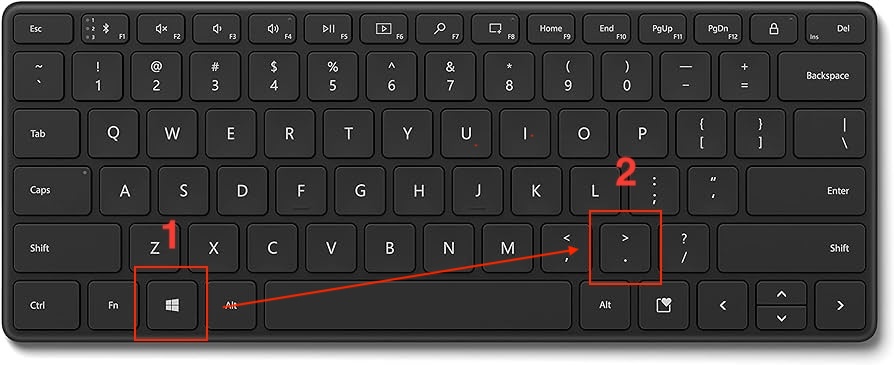
Windowsを使用したWordPressでの絵文字の追加方法:
Windows + . (ピリオド) ショートカットキーを押します。
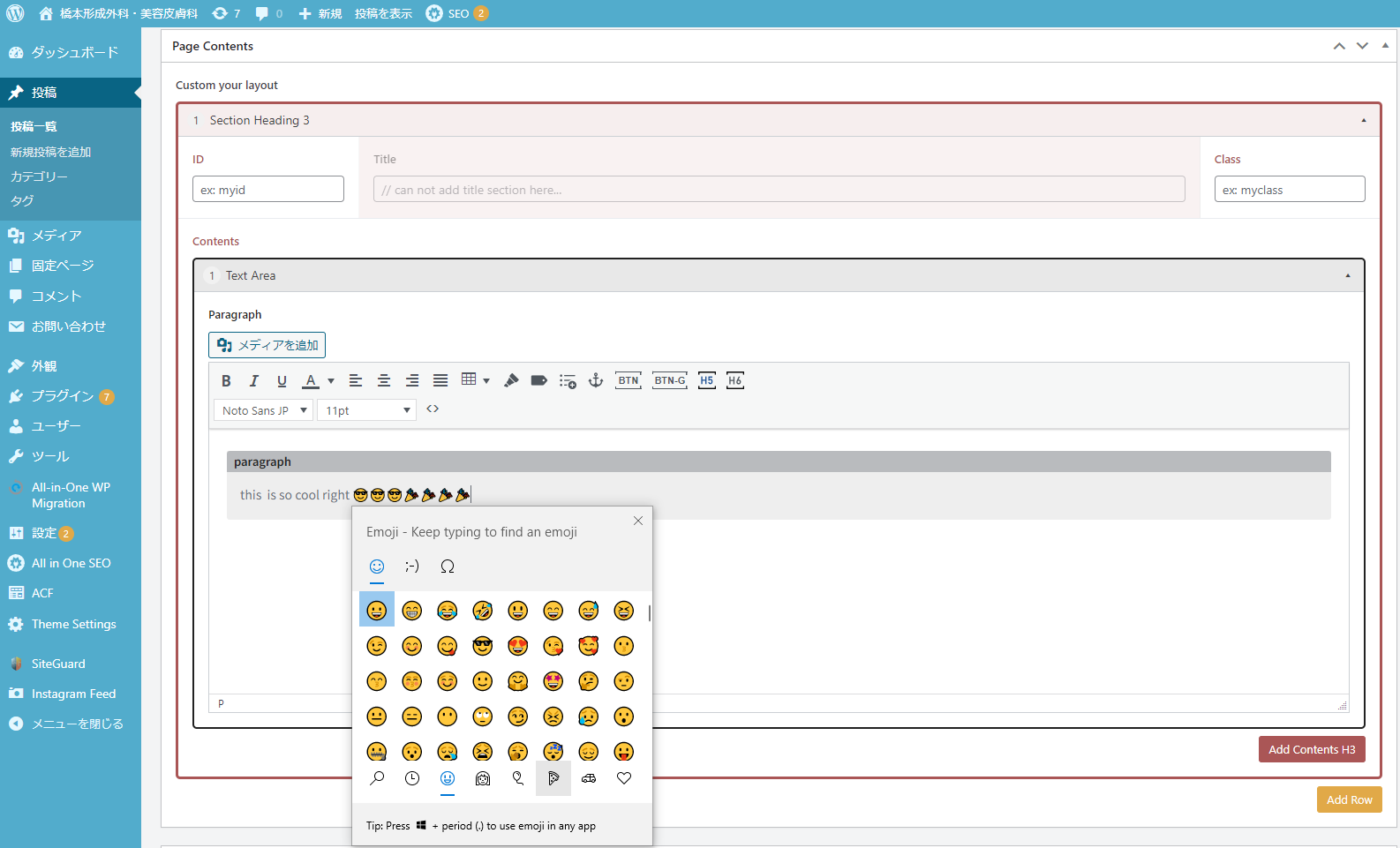
絵文字の選択肢が表示されたウィンドウが開きます。
追加したい絵文字を探して、クリックしてテキストエリアに挿入します。
注意: Windows 10以上でご使用ください。
Warning: Undefined variable $query_editor in /home/xs715986/grits-osaka.com/public_html/testing-site/wp-content/themes/grits_theme/content-page.php on line 4